


The LoL Twitch Stream Overlay Bundle is a complete set of stream graphics inspired by League of Legends, in dark blue with gold. It includes the in-game overlay, panels, Be Right Back, intermission and offline screens, and backgrounds for your Twitch avatar and banner. The Photoshop .PSD files are included, so you can change colors or make extra panels.
What is in the download
- Overlay: top bar showing New Donation and New Follower with space for your name in the middle, and a webcam frame with optional Top Donation text
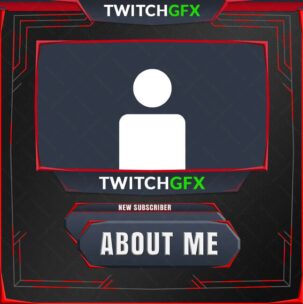
- Panels: About Me, Contact Me, Facebook, FAQ, Follow Me, PC Specs, Rules, Schedule, Social Media, Steam, Subscribe, Top Donation and YouTube
- Screens: Be Right Back, Stream Will Be Back Soon (intermission) and I’m Offline
- Channel graphics: Twitch avatar background with space for your name or an image, and a Twitch banner (profile header) background
- Source files: layered .PSD files for every graphic
When to use it
- Give a League of Legends channel a look that matches the game’s blue and gold style.
- Use the Stream Will Be Back Soon screen while you queue, during champion select or between games.
- Create the avatar and profile banner from the included backgrounds, so your whole channel page matches.
- Make extra panels for new sections from the PSD files.
How to set it up
- Overlay: add the overlay PNG as an Image source above your game capture in OBS, then place your camera inside the webcam frame (see our OBS overlay guide).
- Screens: add each screen as an Image source in its own scene. Upload the I’m Offline screen as your Twitch video player banner.
- Panels: on your Twitch channel open About, switch on Edit Panels and upload one panel per section (see how to edit panels on Twitch).
Frequently asked questions
Do I need Photoshop?
No. The PNG images are ready to use. Photoshop (or a free editor that opens PSD files, such as Photopea) is only needed if you want to change colors or create new panels.
Can I use it on YouTube or Kick?
Yes. The overlay and screens work in any OBS-based setup, and the panels and channel graphics can be reused as section headers and artwork on other platforms.
Is my name or text already on the overlay?
No. The bars have empty spaces, and you add live text or widgets on top in OBS. That way your name, socials and latest supporters update automatically and you never need to edit the image.
Need a different color, your channel name on the graphics or extra panels? We make custom Twitch graphics to order.


Reviews
There are no reviews yet.