
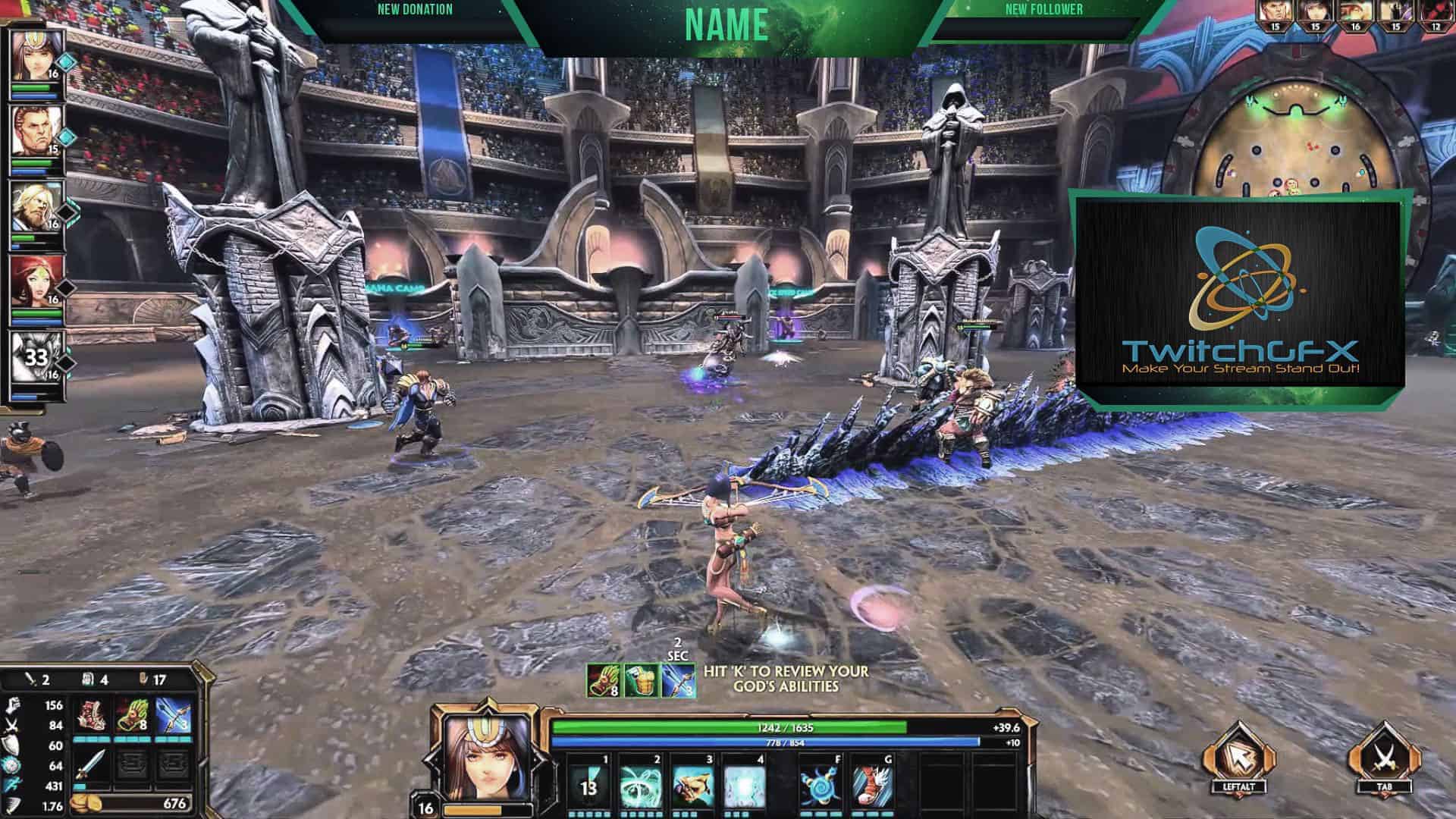

What the Galaxy overlay looks like
The Galaxy overlay uses green accents on a dark base. Along the top of the screen sits a bar with three fields: New Donation on the left, your channel name in the middle and New Follower on the right. A framed webcam box with matching green edges goes in the corner of your gameplay, so your face cam looks like part of the design instead of a floating rectangle. The download also includes a background, panels and alert graphics in the same style.
How to set it up in OBS
- Download the template from the link above and unzip it.
- In OBS Studio, add the overlay as an Image source on top of your game capture.
- Place your webcam source inside the frame and resize it to fit.
- Add Text sources or your alert tool’s event widgets over the donation and follower fields.
If this is your first overlay, our step-by-step guide on adding a stream overlay to OBS Studio covers every click. The images work as they are; if you want to change the design itself, the PSD files are available on request for $10.
Need animated graphics instead? See our animated Twitch scenes and stream alerts.
